Top Features Every Successful Mobile App Should Have
Jan 13, 2026
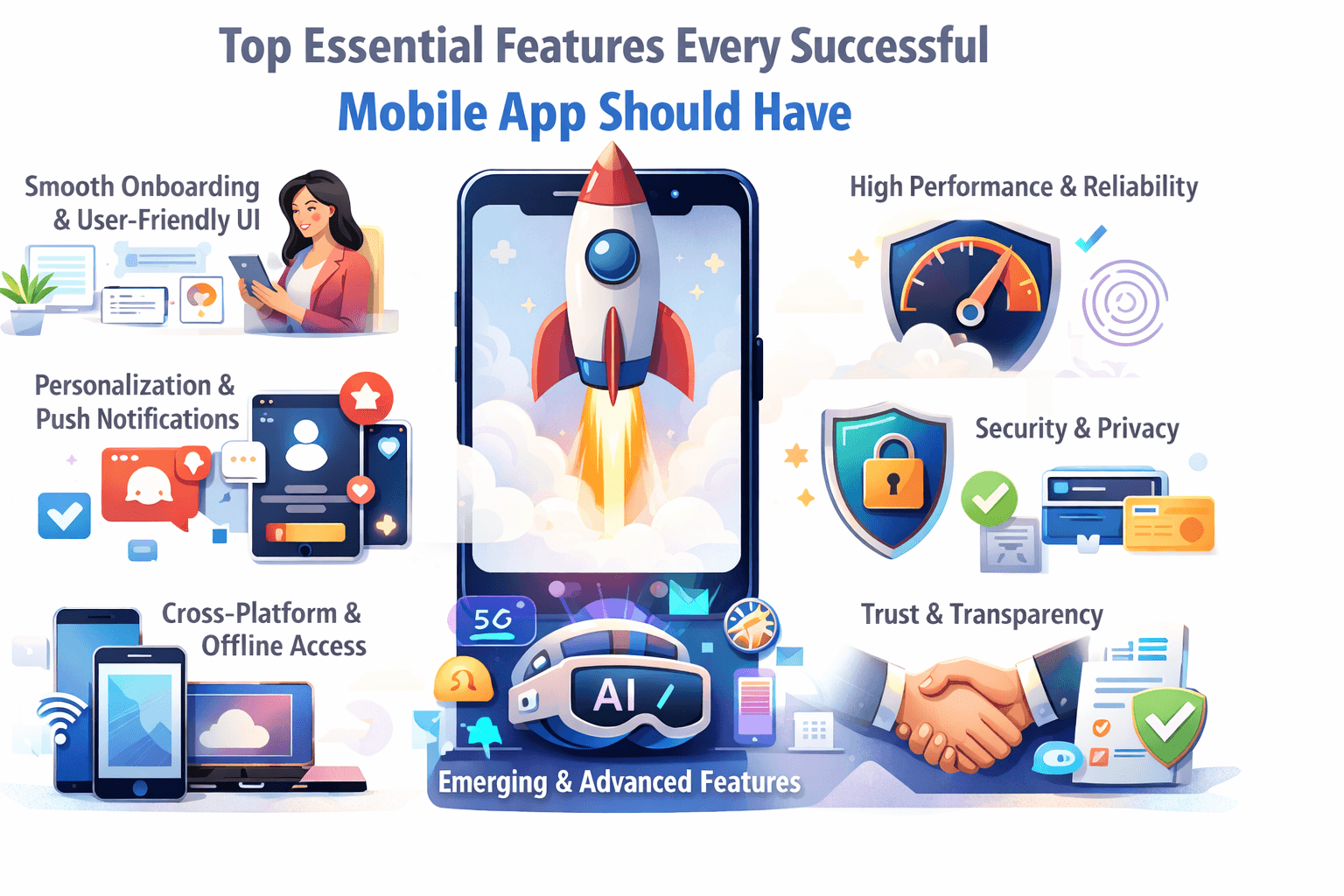
In 2025, with millions of apps competing for user attention on app stores — and with users’ expectations constantly rising — having a “nice-looking” app is no longer enough. The most successful apps combine thoughtful design, performance, and user-first features that make people come back.
Based on recent industry guidance, here are the essential features every successful mobile app should include to stand out—and survive.
1. Smooth & Smart Onboarding / User-Friendly Interface
First, building a mobile app impression matters. If users get confused or bored in the first few minutes, they simply drop the app.
Intelligent Onboarding: As noted by JunkiesCoder, onboarding should deliver value fast — ideally within 15 seconds. Rather than forcing users through long forms or tutorials upfront, show them a “win” immediately: maybe a quick tip, demo, or basic functionality that solves their problem.
Minimal, Intuitive UI/UX: Mobile Apps should be easy to navigate, with clearly labeled buttons, logical flow, and minimal friction. As AppsInvo puts it, a clean and user-friendly interface is foundational.
Progressive Disclosure: Don’t overwhelm users with everything at once. Reveal features gradually, once users are more familiar with the app
A seamless onboarding and intuitive UI significantly increase the chances users stick around — instead of abandoning the app in frustration.
2. High Performance & Reliability
Performance issues — slow load times, crashes, laggy transitions — are some of the fastest ways to lose users.
Fast Launch & Navigation: Aim for launch time under 3 seconds; screen transitions and interactions should feel instant. JunkiesCoder even recommends launch times under 3 seconds and screen transitions under 200 ms.
Optimized Resource Use: Use caching, lazy loading, image optimization (e.g., WebP), and pre-loading patterns to keep the mobile app snappy.
Low Crash Rate & Stability: Crashes erode trust instantly. Applications that crash once are likely to be uninstalled — many users won't give them a second chance.
Offline Functionality (Where Relevant): Especially in regions with inconsistent connectivity, offline support ensures core features remain usable even without the internet. AppsInvo lists this among essential features.
Performance is not a “nice-to-have” — in 2025, it’s table stakes. If your app doesn’t feel fast and stable, users will switch to alternatives immediately.
3. Personalization & Smart Experience
Users don’t want “one-size-fits-all.” They expect apps to understand them and adapt.
Behavior-Based Personalization: Instead of demanding users set preferences manually, track their behavior (with permission) and adapt the UI/content accordingly — e.g., show relevant content, reorder features, or surface shortcuts based on usage patterns
Adaptive Content & Suggestions: Use data — what they viewed, used, or ignored — to surface relevant recommendations, features, or content. Personalized apps feel more “alive” and tailored to users.
Smart Push Notifications: Combine personalization and smart notifications to bring users back — but do it judiciously. Notifications should feel helpful, not intrusive.
Personalization increases engagement, retention, and user satisfaction — building long-term loyalty rather than one-time usage.
4. Engaging & Contextual Push Notifications
Push notifications remain one of the most effective tools to re-engage users — but also one of the easiest to get wrong.
Meaningful & Behavior-Driven: Instead of generic “Check our app” messages, send relevant and timely updates: e.g., order ready, new content available, discount expiring, personalized recommendation, etc.
Right Frequency & Timing: Too many notifications kill retention. The best-performing apps find a balance — enough to remind users, but not annoy them.
Opt-out & Preferences: Let users choose what kind of notifications they get, and when. Respecting user control builds trust.
5. Security & Privacy by Default
As mobile apps become a central part of our lives — storing personal data, payments, sensitive information — users increasingly expect apps to keep their data safe.
Secure Authentication & Data Handling: Implement secure login mechanisms, data encryption, and safe data transfer/storage.
Compliance with Privacy Regulations: With regulations like GDPR, CCPA, and others, apps must be transparent about how they collect, store, and use user data.
Optional Biometric or Multi-Factor Authentication: For apps dealing with sensitive data (finance, health, etc.), biometric login (fingerprint, face), or MFA adds an extra layer of security — and user trust.
User Consent & Control: Allow users to control permissions, data sharing, and visibility. Transparency goes a long way in building brand credibility.
Security is not a bonus — it’s a necessity. Without robust security, even the most feature-rich app can fail due to a lack of user trust.
6. Analytics & Feedback Loops
Understanding how users interact with your app — what features they use, where they drop off, what they like — is essential for continuous improvement.
Built-in Analytics & Reporting Tools: Track user behavior, engagement, drop-off points, feature usage, retention, etc. This helps you make data-driven decisions for updates and improvements. AppsInvo highlights analytics as a key feature.
User Feedback & Rating Mechanism: Give users easy ways to report bugs, suggest improvements, or give reviews and ratings. Real feedback helps prioritize what to improve next.
Iterative Updates & Maintenance: Use analytics and feedback to drive regular updates — to fix bugs, optimize performance, add features, and respond to user needs. This continuous evolution keeps the app relevant.
Analytics and feedback create a growth loop: you learn, improve, and deliver — which keeps users engaged and loyal.
7. Cross-platform & Device Compatibility (Including Offline / Offline-First)
In 2025, users expect to seamlessly switch between devices — smartphone, tablet, maybe even desktop or wearables — and still get a consistent experience.
Cross-Platform Support: Building with frameworks like React Native or Flutter (or providing a PWA) ensures your app works smoothly on both iOS and Android, and possibly web. Many feature guides emphasize cross-platform compatibility as mandatory.
Offline & Sync Functionality: Even when the user has no internet (or low connectivity), core features — cached content, local data, favorites — should still work. Once the connection returns, sync automatically. This fosters reliability.
Responsive Across Screens & Devices: Whether it’s a small phone, a large tablet screen, or a foldable device, the UI should adapt gracefully. Also consider support for wearables or IoT (if relevant). Some modern feature sets even include IoT and wearable integration.
Cross-platform, device-agnostic apps reach more users, lower maintenance costs, and provide a seamless experience, which translates to higher adoption and retention.
8. Optional — Advanced & Emerging Features (Based on App Use-Case)
Depending on what your app does — e-commerce, social networking, gaming, productivity, etc. — these advanced features can give you a competitive edge.
Voice & Gesture Controls: For hands-free usage, accessibility, or convenience — voice commands, voice search, and gesture-based navigation can add real value. JunkiesCoder lists voice/gesture integration among potential features.
Augmented Reality (AR) / Virtual Reality (VR): For apps in retail (virtual try-on), real estate, education, or gaming, AR/VR can deliver immersive experiences that stand out.
Cloud / IoT / Wearable Integration: If your app interacts with devices (wearables, smart home, IoT), or requires sync across platforms — integrating cloud services and device connectivity can significantly boost its utility.
Super-App / Multi-Function Stack: For broad-spectrum apps (e.g., combining messaging, payments, e-commerce, booking), offering multiple services within one app can increase “stickiness” — as long as UX remains clean and intuitive.
Use these only if they align with your app’s core purpose. When done right, advanced features can be a major differentiator — when done wrong, a cause of complexity and bloat.
9. Continuous Improvement: Updates, Maintenance & Versioning
A mobile app isn’t a “build once and forget” product. To remain competitive, you need to evolve — fix bugs, optimize performance, adapt to new OS versions, add features, and respond to user feedback.
Regular Updates: Push performance improvements, security patches, UI tweaks, new features — to keep your app relevant and secure. Many 2025 app guides highlight this as essential.
Maintenance & Monitoring: Track app health (crash rates, performance metrics), user feedback, engagement, and act on those.
Adapt to Changing Standards: As OS versions evolve, privacy regulations change, devices diversify, and user expectations shift — your app should evolve too.
A successful app stays alive by continuously improving — not by resting on “launch day” glory.
10. Building Trust — Transparency, Control & Respect for the User
Beyond features and performance, trust and user respect are vital. Users need to know you value their privacy, give them control, and treat them fairly.
Transparent Privacy & Permissions: Explain clearly what permissions you request (location, camera, data), why they are needed, and let users opt-in/out.
Respect User Preferences: Let users control notifications, data sharing, personalization settings, and more. Give them the control, don’t force decisions.
Respect Their Time & Device Resources: Don’t bloat your app with unnecessary features. Keep app sizes minimal, optimize battery/network use, and make the user experience smooth. When users see your app is considerate of their device and time, they’re more likely to stick around.
Trust isn’t a “feature” per se — it’s the foundation that makes every other feature work. Without it, even a well-designed app can fail.
Conclusion: Build for Users, Not Just Features
Successful mobile apps aren’t built by accident — they’re built intentionally, keeping the user first.
The winners in 2025 — and beyond — are those that combine:
a frictionless, intuitive interface;
fast, reliable performance;
personalization and smart engagement;
security and privacy;
cross-platform reach;
continuous improvement;
and, most importantly, respect and trust for the user.
If you’re starting a new app, treat this list as your baseline.
In 2025, with millions of apps competing for user attention on app stores — and with users’ expectations constantly rising — having a “nice-looking” app is no longer enough. The most successful apps combine thoughtful design, performance, and user-first features that make people come back.
Based on recent industry guidance, here are the essential features every successful mobile app should include to stand out—and survive.
1. Smooth & Smart Onboarding / User-Friendly Interface
First, building a mobile app impression matters. If users get confused or bored in the first few minutes, they simply drop the app.
Intelligent Onboarding: As noted by JunkiesCoder, onboarding should deliver value fast — ideally within 15 seconds. Rather than forcing users through long forms or tutorials upfront, show them a “win” immediately: maybe a quick tip, demo, or basic functionality that solves their problem.
Minimal, Intuitive UI/UX: Mobile Apps should be easy to navigate, with clearly labeled buttons, logical flow, and minimal friction. As AppsInvo puts it, a clean and user-friendly interface is foundational.
Progressive Disclosure: Don’t overwhelm users with everything at once. Reveal features gradually, once users are more familiar with the app
A seamless onboarding and intuitive UI significantly increase the chances users stick around — instead of abandoning the app in frustration.
2. High Performance & Reliability
Performance issues — slow load times, crashes, laggy transitions — are some of the fastest ways to lose users.
Fast Launch & Navigation: Aim for launch time under 3 seconds; screen transitions and interactions should feel instant. JunkiesCoder even recommends launch times under 3 seconds and screen transitions under 200 ms.
Optimized Resource Use: Use caching, lazy loading, image optimization (e.g., WebP), and pre-loading patterns to keep the mobile app snappy.
Low Crash Rate & Stability: Crashes erode trust instantly. Applications that crash once are likely to be uninstalled — many users won't give them a second chance.
Offline Functionality (Where Relevant): Especially in regions with inconsistent connectivity, offline support ensures core features remain usable even without the internet. AppsInvo lists this among essential features.
Performance is not a “nice-to-have” — in 2025, it’s table stakes. If your app doesn’t feel fast and stable, users will switch to alternatives immediately.
3. Personalization & Smart Experience
Users don’t want “one-size-fits-all.” They expect apps to understand them and adapt.
Behavior-Based Personalization: Instead of demanding users set preferences manually, track their behavior (with permission) and adapt the UI/content accordingly — e.g., show relevant content, reorder features, or surface shortcuts based on usage patterns
Adaptive Content & Suggestions: Use data — what they viewed, used, or ignored — to surface relevant recommendations, features, or content. Personalized apps feel more “alive” and tailored to users.
Smart Push Notifications: Combine personalization and smart notifications to bring users back — but do it judiciously. Notifications should feel helpful, not intrusive.
Personalization increases engagement, retention, and user satisfaction — building long-term loyalty rather than one-time usage.
4. Engaging & Contextual Push Notifications
Push notifications remain one of the most effective tools to re-engage users — but also one of the easiest to get wrong.
Meaningful & Behavior-Driven: Instead of generic “Check our app” messages, send relevant and timely updates: e.g., order ready, new content available, discount expiring, personalized recommendation, etc.
Right Frequency & Timing: Too many notifications kill retention. The best-performing apps find a balance — enough to remind users, but not annoy them.
Opt-out & Preferences: Let users choose what kind of notifications they get, and when. Respecting user control builds trust.
5. Security & Privacy by Default
As mobile apps become a central part of our lives — storing personal data, payments, sensitive information — users increasingly expect apps to keep their data safe.
Secure Authentication & Data Handling: Implement secure login mechanisms, data encryption, and safe data transfer/storage.
Compliance with Privacy Regulations: With regulations like GDPR, CCPA, and others, apps must be transparent about how they collect, store, and use user data.
Optional Biometric or Multi-Factor Authentication: For apps dealing with sensitive data (finance, health, etc.), biometric login (fingerprint, face), or MFA adds an extra layer of security — and user trust.
User Consent & Control: Allow users to control permissions, data sharing, and visibility. Transparency goes a long way in building brand credibility.
Security is not a bonus — it’s a necessity. Without robust security, even the most feature-rich app can fail due to a lack of user trust.
6. Analytics & Feedback Loops
Understanding how users interact with your app — what features they use, where they drop off, what they like — is essential for continuous improvement.
Built-in Analytics & Reporting Tools: Track user behavior, engagement, drop-off points, feature usage, retention, etc. This helps you make data-driven decisions for updates and improvements. AppsInvo highlights analytics as a key feature.
User Feedback & Rating Mechanism: Give users easy ways to report bugs, suggest improvements, or give reviews and ratings. Real feedback helps prioritize what to improve next.
Iterative Updates & Maintenance: Use analytics and feedback to drive regular updates — to fix bugs, optimize performance, add features, and respond to user needs. This continuous evolution keeps the app relevant.
Analytics and feedback create a growth loop: you learn, improve, and deliver — which keeps users engaged and loyal.
7. Cross-platform & Device Compatibility (Including Offline / Offline-First)
In 2025, users expect to seamlessly switch between devices — smartphone, tablet, maybe even desktop or wearables — and still get a consistent experience.
Cross-Platform Support: Building with frameworks like React Native or Flutter (or providing a PWA) ensures your app works smoothly on both iOS and Android, and possibly web. Many feature guides emphasize cross-platform compatibility as mandatory.
Offline & Sync Functionality: Even when the user has no internet (or low connectivity), core features — cached content, local data, favorites — should still work. Once the connection returns, sync automatically. This fosters reliability.
Responsive Across Screens & Devices: Whether it’s a small phone, a large tablet screen, or a foldable device, the UI should adapt gracefully. Also consider support for wearables or IoT (if relevant). Some modern feature sets even include IoT and wearable integration.
Cross-platform, device-agnostic apps reach more users, lower maintenance costs, and provide a seamless experience, which translates to higher adoption and retention.
8. Optional — Advanced & Emerging Features (Based on App Use-Case)
Depending on what your app does — e-commerce, social networking, gaming, productivity, etc. — these advanced features can give you a competitive edge.
Voice & Gesture Controls: For hands-free usage, accessibility, or convenience — voice commands, voice search, and gesture-based navigation can add real value. JunkiesCoder lists voice/gesture integration among potential features.
Augmented Reality (AR) / Virtual Reality (VR): For apps in retail (virtual try-on), real estate, education, or gaming, AR/VR can deliver immersive experiences that stand out.
Cloud / IoT / Wearable Integration: If your app interacts with devices (wearables, smart home, IoT), or requires sync across platforms — integrating cloud services and device connectivity can significantly boost its utility.
Super-App / Multi-Function Stack: For broad-spectrum apps (e.g., combining messaging, payments, e-commerce, booking), offering multiple services within one app can increase “stickiness” — as long as UX remains clean and intuitive.
Use these only if they align with your app’s core purpose. When done right, advanced features can be a major differentiator — when done wrong, a cause of complexity and bloat.
9. Continuous Improvement: Updates, Maintenance & Versioning
A mobile app isn’t a “build once and forget” product. To remain competitive, you need to evolve — fix bugs, optimize performance, adapt to new OS versions, add features, and respond to user feedback.
Regular Updates: Push performance improvements, security patches, UI tweaks, new features — to keep your app relevant and secure. Many 2025 app guides highlight this as essential.
Maintenance & Monitoring: Track app health (crash rates, performance metrics), user feedback, engagement, and act on those.
Adapt to Changing Standards: As OS versions evolve, privacy regulations change, devices diversify, and user expectations shift — your app should evolve too.
A successful app stays alive by continuously improving — not by resting on “launch day” glory.
10. Building Trust — Transparency, Control & Respect for the User
Beyond features and performance, trust and user respect are vital. Users need to know you value their privacy, give them control, and treat them fairly.
Transparent Privacy & Permissions: Explain clearly what permissions you request (location, camera, data), why they are needed, and let users opt-in/out.
Respect User Preferences: Let users control notifications, data sharing, personalization settings, and more. Give them the control, don’t force decisions.
Respect Their Time & Device Resources: Don’t bloat your app with unnecessary features. Keep app sizes minimal, optimize battery/network use, and make the user experience smooth. When users see your app is considerate of their device and time, they’re more likely to stick around.
Trust isn’t a “feature” per se — it’s the foundation that makes every other feature work. Without it, even a well-designed app can fail.
Conclusion: Build for Users, Not Just Features
Successful mobile apps aren’t built by accident — they’re built intentionally, keeping the user first.
The winners in 2025 — and beyond — are those that combine:
a frictionless, intuitive interface;
fast, reliable performance;
personalization and smart engagement;
security and privacy;
cross-platform reach;
continuous improvement;
and, most importantly, respect and trust for the user.
If you’re starting a new app, treat this list as your baseline.
Don't hesitate to contact us.
Grow Your Business With Us!
Reach out to us, and let's turn your vision into reality!
ADDRESS
8330 Lyndon B Johnson Fwy,
Dallas, TX 75243
© 2017 - 2026 Bilions. All rights reserved.
Don't hesitate to contact us.
Grow Your Business With Us!
Reach out to us, and let's turn your vision into reality!
ADDRESS
8330 Lyndon B Johnson Fwy,
Dallas, TX 75243
© 2017 - 2026 Bilions. All rights reserved.
Don't hesitate to contact us.
Grow Your Business With Us!
Reach out to us, and let's turn your vision into reality!
ADDRESS
8330 Lyndon B Johnson Fwy,
Dallas, TX 75243
© 2017 - 2026 Bilions. All rights reserved.