Mobile App Support and Maintenance Plan Checklist -Bilions
Nov 5, 2025
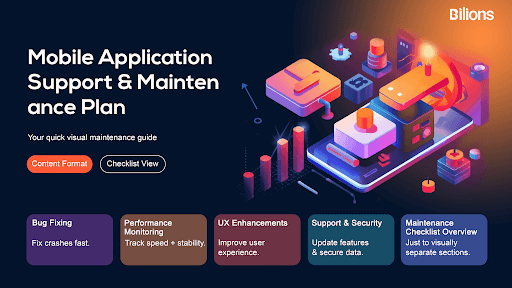
Launching a mobile app is only the beginning of its lifecycle. To keep it performing smoothly, securely, and efficiently, you need a well-structured mobile application support and maintenance plan. A good maintenance checklist helps keep your app free of bugs, current, and aligned with user needs and business goals.
In this guide, we will discuss the key parts of a mobile app maintenance checklist. This includes bug fixes, performance checks, feature updates, user experience, and security improvements.
Bug Fixes
Every mobile app encounters bugs over time even the most thoroughly tested ones. These issues can arise from OS updates, third-party API changes, or unexpected user behavior.
A regular bug tracking and fixing process should be at the core of your maintenance plan. Use tools like Jira, Bugzilla, or Firebase Crashlytics to monitor app crashes and performance issues in real time. Quick resolution of bugs enhances app reliability, prevents poor user reviews, and boosts retention rates.
Checklist for bug fixes:
Maintain a crash log and error report system.
Prioritize bugs based on severity and user impact.
Test fixes across all devices and platforms.
Deploy patches during low-traffic hours to minimize disruptions.
Performance Monitoring
Your mobile app’s performance determines how users perceive its quality. Slow loading times, lagging animations, or unresponsive screens can drive users away. That’s why continuous performance monitoring is essential.
Monitor server response times, memory usage, and network latency regularly. Analytics tools like Google Firebase Performance Monitoring or New Relic can help identify bottlenecks and track metrics over time.
Checklist for performance monitoring:
Evaluate mobile app loading time and API response rates.
Track user activity to identify usage patterns and pain points.
Check for memory leaks or excessive battery usage.
Regularly assess backend performance and server uptime.
Feature Addition
As technology and user preferences evolve, your mobile app must evolve too. Regular feature addition and updates keep your app relevant and competitive.
Analyze user feedback and competitor updates to identify high-value features to implement. For example, adding AI-powered chat support, dark mode, or payment gateway integrations can significantly enhance user engagement.
Checklist for feature addition:
Gather insights from user reviews and analytics.
Prioritize features that align with your business goals.
Test new features thoroughly before deployment.
Communicate new updates clearly to users via in-app notifications or email.
User Experience (UX)
Your mobile app’s success depends largely on user experience. A smooth, intuitive, and visually appealing interface encourages users to stay engaged.
Regular UX evaluations should be part of your maintenance cycle. Conduct usability testing to understand how real users interact with your app. Optimize navigation, simplify user journeys, and ensure accessibility for all users.
Checklist for UX improvement:
Collect continuous feedback through surveys and in-app ratings.
Remove unnecessary steps or screens in workflows.
Optimize visuals for clarity and modern design trends.
Test app accessibility on different devices and screen sizes.
Compatibility Updates
With frequent operating system and device updates, your app must stay compatible with the latest Android and iOS versions. Ignoring this can cause crashes, layout breaks, or feature malfunctions.
Regular compatibility checks ensure your app works seamlessly across different screen sizes, resolutions, and hardware specifications.
Checklist for compatibility updates:
Test app functionality after each iOS or Android OS update.
Ensure compatibility with the latest smartphone models.
Update SDKs, APIs, and libraries as needed.
Remove deprecated features or integrations.
License Renewals
Many mobile apps rely on third-party services, APIs, libraries, or frameworks that require license renewals. Missing a renewal deadline could lead to downtime, lost functionality, or compliance issues.
Keep a log of all licenses with renewal dates, terms, and responsible team members. Automating reminders for license expiration can prevent disruptions.
Checklist for license renewals:
Maintain a central record of all third-party licenses.
Set automated renewal alerts.
Verify license compliance for open-source tools.
Review vendor agreements regularly to ensure cost efficiency.
Security Updates
Security is non-negotiable when maintaining a mobile application. With cyber threats and data breaches on the rise, regular security updates are vital to protect user data and maintain trust.
Implement robust authentication methods, encrypt sensitive information, and regularly perform vulnerability assessments. Updating your app’s security libraries and dependencies ensures protection against the latest exploits.
Checklist for security updates:
Conduct security audits every quarter.
Patch known vulnerabilities immediately.
Use HTTPS and secure coding practices.
Update dependencies and third-party integrations frequently.
Implement two-factor authentication (2FA) for users.
Performance Tuning
Even with strong performance monitoring, apps need periodic performance tuning to ensure smooth operation. Over time, code bloat, unoptimized images, or excessive background processes can slow down performance.
Performance tuning involves code optimization, database management, and caching enhancements to ensure faster app response and reduced resource consumption.
Checklist for performance tuning:
Optimize code and database queries.
Compress images and files for faster loading.
Reduce app size by removing unused resources.
Improve caching and data retrieval mechanisms.
Test performance under peak traffic conditions.
Preventive Maintenance
Instead of waiting for problems to appear, preventive maintenance anticipates and eliminates potential issues before they escalate. This proactive approach saves time, cost, and effort in the long run.
It includes routine code reviews, performance testing, and system audits to ensure your app remains stable and secure. Preventive maintenance also ensures consistent uptime and a better overall user experience.
Checklist for preventive maintenance:
Schedule regular health checks and performance audits.
Update libraries and frameworks to latest versions.
Review analytics data for early signs of performance degradation.
Train your team on the latest mobile development standards.
Conclusion
A mobile app’s journey doesn’t end at deployment, it begins there. Continuous support and maintenance are essential for delivering long-term value, keeping users satisfied, and ensuring business growth.
By using this mobile application support and maintenance checklist, you can keep your app secure and efficient. Regular updates, performance checks, and fixing bugs will help your app last longer. This will improve your return on investment and build customer trust.
A well-maintained app isn’t just a product, it’s a living digital asset that evolves with your users and your business.
Launching a mobile app is only the beginning of its lifecycle. To keep it performing smoothly, securely, and efficiently, you need a well-structured mobile application support and maintenance plan. A good maintenance checklist helps keep your app free of bugs, current, and aligned with user needs and business goals.
In this guide, we will discuss the key parts of a mobile app maintenance checklist. This includes bug fixes, performance checks, feature updates, user experience, and security improvements.
Bug Fixes
Every mobile app encounters bugs over time even the most thoroughly tested ones. These issues can arise from OS updates, third-party API changes, or unexpected user behavior.
A regular bug tracking and fixing process should be at the core of your maintenance plan. Use tools like Jira, Bugzilla, or Firebase Crashlytics to monitor app crashes and performance issues in real time. Quick resolution of bugs enhances app reliability, prevents poor user reviews, and boosts retention rates.
Checklist for bug fixes:
Maintain a crash log and error report system.
Prioritize bugs based on severity and user impact.
Test fixes across all devices and platforms.
Deploy patches during low-traffic hours to minimize disruptions.
Performance Monitoring
Your mobile app’s performance determines how users perceive its quality. Slow loading times, lagging animations, or unresponsive screens can drive users away. That’s why continuous performance monitoring is essential.
Monitor server response times, memory usage, and network latency regularly. Analytics tools like Google Firebase Performance Monitoring or New Relic can help identify bottlenecks and track metrics over time.
Checklist for performance monitoring:
Evaluate mobile app loading time and API response rates.
Track user activity to identify usage patterns and pain points.
Check for memory leaks or excessive battery usage.
Regularly assess backend performance and server uptime.
Feature Addition
As technology and user preferences evolve, your mobile app must evolve too. Regular feature addition and updates keep your app relevant and competitive.
Analyze user feedback and competitor updates to identify high-value features to implement. For example, adding AI-powered chat support, dark mode, or payment gateway integrations can significantly enhance user engagement.
Checklist for feature addition:
Gather insights from user reviews and analytics.
Prioritize features that align with your business goals.
Test new features thoroughly before deployment.
Communicate new updates clearly to users via in-app notifications or email.
User Experience (UX)
Your mobile app’s success depends largely on user experience. A smooth, intuitive, and visually appealing interface encourages users to stay engaged.
Regular UX evaluations should be part of your maintenance cycle. Conduct usability testing to understand how real users interact with your app. Optimize navigation, simplify user journeys, and ensure accessibility for all users.
Checklist for UX improvement:
Collect continuous feedback through surveys and in-app ratings.
Remove unnecessary steps or screens in workflows.
Optimize visuals for clarity and modern design trends.
Test app accessibility on different devices and screen sizes.
Compatibility Updates
With frequent operating system and device updates, your app must stay compatible with the latest Android and iOS versions. Ignoring this can cause crashes, layout breaks, or feature malfunctions.
Regular compatibility checks ensure your app works seamlessly across different screen sizes, resolutions, and hardware specifications.
Checklist for compatibility updates:
Test app functionality after each iOS or Android OS update.
Ensure compatibility with the latest smartphone models.
Update SDKs, APIs, and libraries as needed.
Remove deprecated features or integrations.
License Renewals
Many mobile apps rely on third-party services, APIs, libraries, or frameworks that require license renewals. Missing a renewal deadline could lead to downtime, lost functionality, or compliance issues.
Keep a log of all licenses with renewal dates, terms, and responsible team members. Automating reminders for license expiration can prevent disruptions.
Checklist for license renewals:
Maintain a central record of all third-party licenses.
Set automated renewal alerts.
Verify license compliance for open-source tools.
Review vendor agreements regularly to ensure cost efficiency.
Security Updates
Security is non-negotiable when maintaining a mobile application. With cyber threats and data breaches on the rise, regular security updates are vital to protect user data and maintain trust.
Implement robust authentication methods, encrypt sensitive information, and regularly perform vulnerability assessments. Updating your app’s security libraries and dependencies ensures protection against the latest exploits.
Checklist for security updates:
Conduct security audits every quarter.
Patch known vulnerabilities immediately.
Use HTTPS and secure coding practices.
Update dependencies and third-party integrations frequently.
Implement two-factor authentication (2FA) for users.
Performance Tuning
Even with strong performance monitoring, apps need periodic performance tuning to ensure smooth operation. Over time, code bloat, unoptimized images, or excessive background processes can slow down performance.
Performance tuning involves code optimization, database management, and caching enhancements to ensure faster app response and reduced resource consumption.
Checklist for performance tuning:
Optimize code and database queries.
Compress images and files for faster loading.
Reduce app size by removing unused resources.
Improve caching and data retrieval mechanisms.
Test performance under peak traffic conditions.
Preventive Maintenance
Instead of waiting for problems to appear, preventive maintenance anticipates and eliminates potential issues before they escalate. This proactive approach saves time, cost, and effort in the long run.
It includes routine code reviews, performance testing, and system audits to ensure your app remains stable and secure. Preventive maintenance also ensures consistent uptime and a better overall user experience.
Checklist for preventive maintenance:
Schedule regular health checks and performance audits.
Update libraries and frameworks to latest versions.
Review analytics data for early signs of performance degradation.
Train your team on the latest mobile development standards.
Conclusion
A mobile app’s journey doesn’t end at deployment, it begins there. Continuous support and maintenance are essential for delivering long-term value, keeping users satisfied, and ensuring business growth.
By using this mobile application support and maintenance checklist, you can keep your app secure and efficient. Regular updates, performance checks, and fixing bugs will help your app last longer. This will improve your return on investment and build customer trust.
A well-maintained app isn’t just a product, it’s a living digital asset that evolves with your users and your business.
Don't hesitate to contact us.
Grow Your Business With Us!
Reach out to us, and let's turn your vision into reality!
ADDRESS
8330 Lyndon B Johnson Fwy,
Dallas, TX 75243
© 2017 - 2026 Bilions. All rights reserved.
Don't hesitate to contact us.
Grow Your Business With Us!
Reach out to us, and let's turn your vision into reality!
ADDRESS
8330 Lyndon B Johnson Fwy,
Dallas, TX 75243
© 2017 - 2026 Bilions. All rights reserved.
Don't hesitate to contact us.
Grow Your Business With Us!
Reach out to us, and let's turn your vision into reality!
ADDRESS
8330 Lyndon B Johnson Fwy,
Dallas, TX 75243
© 2017 - 2026 Bilions. All rights reserved.